
Keeper App – React Note Taking Application
A clean and responsive react note-taking application built for everyday productivity.
The Keeper App is a minimalist note-taking application inspired by Google Keep, built using React and custom CSS. Designed to enhance productivity, it allows users to create, organize, and delete notes effortlessly through a clean and intuitive interface. The application features real-time updates, responsive design, and browser local storage integration, ensuring notes remain accessible across sessions without requiring a backend. This project showcases modern front-end development practices, component-based architecture, and the ability to build interactive user experiences with React.
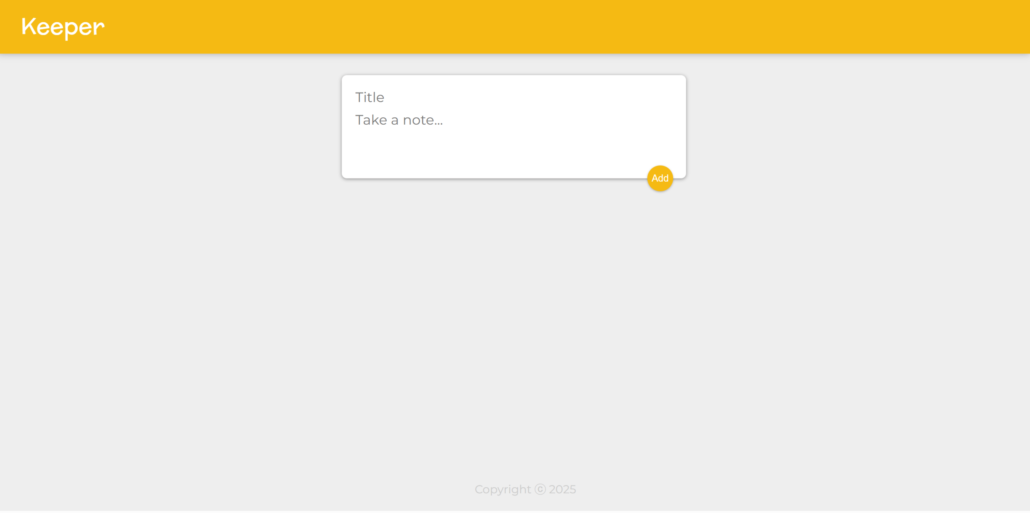
Tools Used
Features of React Note Taking Application
📝 Create & Manage Notes
Quickly add, edit, and organize notes through an intuitive and user-friendly interface.
⚡ Real-Time Updates
Notes appear instantly without page refreshes, providing a smooth and responsive experience.
💾 Local Storage Integration
Automatically saves notes in the browser, allowing data to persist between sessions.
📱 Fully Responsive Design
Optimized for desktops, tablets, and mobile devices to ensure a consistent user experience.
🎨 Minimalist User Interface
Clean and distraction-free design focused on productivity and ease of use.
🚀 Fast Client-Side Performance
Built with React to deliver dynamic interactions and efficient rendering without a backend.
🔄 Instant Note Deletion
Remove unwanted notes immediately with seamless UI updates.
🧩 Component-Based Architecture
Developed using reusable React components for better scalability and maintainability.
What I Learned While Making React Note Taking Application
Other Projects in This Category

HTML CSS Portfolio Website | Responsive Personal Portfolio
Interactive JavaScript Game – Toss a Dice
CSS Grid Mondrian Layout – Recreating Abstract Art
Interactive Javascript Web Application – Drum Kit

Responsive Bootstrap Landing Page – TinDog
Javascript Game Simon – Memory Challenge Web App