
Toss a Dice – Interactive JavaScript Dice Game
Virtual interactive javascript dice rolling game app built with HTML, CSS, and JavaScript.
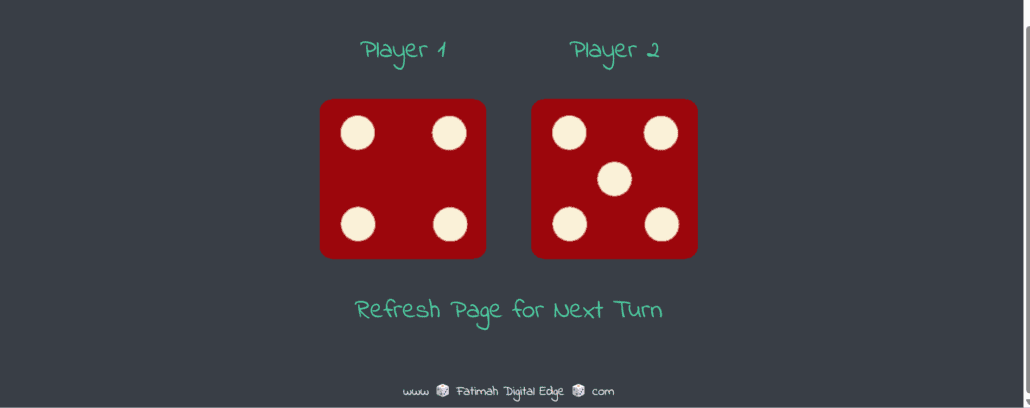
The JavaScript Dice Game is a simple and interactive web application that simulates rolling a dice with a single click. This project demonstrates how JavaScript can be used to generate random outcomes and update the user interface dynamically.
In this JavaScript Dice Game, the dice face changes instantly based on a randomly generated number between 1 and 6. The application uses HTML for structure, CSS for styling, and JavaScript for logic and interaction, making it a great example of a beginner-friendly frontend project.
The JavaScript Dice Game highlights important development concepts such as random number generation, DOM manipulation, and event handling. It provides a fun way to understand how JavaScript can power interactive features on a website while keeping the design simple and responsive.
Tools Used
Features
🎲 Roll Dice Functionality
Generates a random dice result with one click.
🔢 Random Number Generation
Displays a random number between 1 and 6.
🖼️ Dynamic Dice Face Update
Updates the dice image or face based on the generated result.
⚡ Instant Results
Shows outcomes immediately without delay.
✨ Simple Interactive UI
Clean and easy-to-use interface for smooth user interaction.
What I Learned
🎯 JavaScript Logic Building
Learned how to generate random results using JavaScript.
🧩 DOM Manipulation
Improved my ability to update page elements dynamically.
🖱️ Event Handling
Practiced handling user actions like button clicks.
⚡ Interactive UI Development
Understood how to create a responsive and engaging web interaction.
🧱 Frontend Project Structuring
Strengthened my basics in organizing simple HTML, CSS, and JavaScript projects.
Other Projects in This Category

HTML CSS Portfolio Website | Responsive Personal Portfolio

CSS Grid Mondrian Layout – Recreating Abstract Art
Interactive Javascript Web Application – Drum Kit

Responsive Bootstrap Landing Page – TinDog
Javascript Game Simon – Memory Challenge Web App